1 May 2026
Google Cloud Security: A Practical Guide to Safe Deployments
 Reviewed byAzjargal Gankhuyag· AI Agent Engineer | Solution Architect
How safe is Google Cloud for your workloads? A guide for technical leaders on shared responsibility, network perimeters, trade-offs, and avoiding common security pitfalls.
The Reality of Cloud Security

When technical leaders ask how safe it is to deploy services into Google Cloud Platform (GCP), the answer requires separating the infrastructure from the implementation. Google’s physical data centers, underlying network infrastructure, and custom hardware are exceptionally secure. However, securing the services you deploy on top of that infrastructure is a shared responsibility.
This guide examines the concrete safety mechanisms of Google Cloud, the architectural decisions that dictate your actual security posture, and the trade-offs between tight security and developer velocity. Technical leaders will walk away with a clear understanding of how to structure GCP environments, which security features to mandate, and what common pitfalls to avoid when migrating or building new workloads.
The primary factor in cloud safety is understanding the Google Cloud Shared Responsibility Model. Google secures the lower layers: physical access, network hardware, and the host operating systems of managed services. Your engineering team is responsible for securing identity and access management (IAM), firewall rules, application code, and data classification. A vulnerability in your deployment is rarely a failure of Google’s infrastructure; it is almost always a misconfiguration in your environment.
Core Security Mechanics
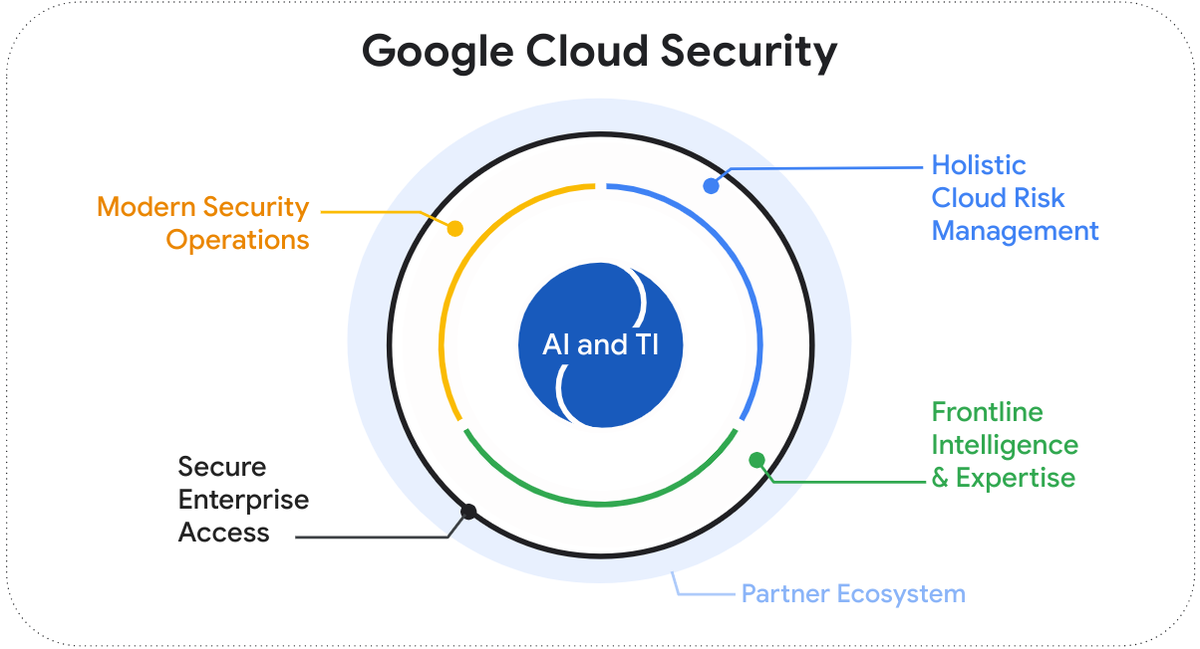
Google Cloud operates on a fundamentally different security architecture than traditional on-premises data centers. Understanding these core mechanics is critical for evaluating how your services will be protected.
Hardware and Encryption by Default
Google controls its entire hardware stack. From custom Titan security chips embedded in servers to custom network routing hardware, the infrastructure is designed to verify the integrity of the system from the moment it boots.
At the software layer, GCP encrypts all customer data at rest by default, using Google-managed encryption keys. You do not need to configure this, and there is no performance penalty or extra cost. Data in transit between Google facilities is also heavily encrypted. For organizations with stricter compliance needs, GCP allows you to use Customer-Managed Encryption Keys (CMEK) via Cloud Key Management Service (KMS), giving you cryptographic control over data access.
Identity as the Perimeter
In GCP, the network is not the primary security boundary. Identity is the perimeter. This model, pioneered by Google as BeyondCorp, means that simply being on an internal network grants no inherent trust. Every request to a GCP API or service must be authenticated and authorized, regardless of where it originates.
This is enforced through Google Cloud IAM. IAM policies dictate exactly who (or what application) can do what on which resource. IAM operates globally and handles authorization for both human users and machine identities (Service Accounts).
Workload Identity
For modern application development, especially when dealing with distributed microservices or Kubernetes clusters, managing static credential files is a major security risk. GCP mitigates this through Workload Identity. Instead of downloading a JSON key file to grant an application access to a database, Workload Identity allows a Kubernetes pod or a serverless function to impersonate a GCP Service Account dynamically. This ensures that short-lived, automatically rotated credentials are used, drastically reducing the risk of credential theft.
Architectures and Operating Models
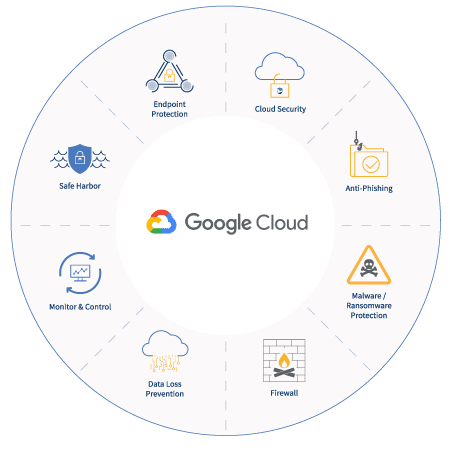
Your security posture in GCP is largely determined by your initial architectural setup. The way you organize resources dictates how easily you can enforce security policies across your organization.
The Resource Hierarchy
GCP provides a strict resource hierarchy: Organization > Folders > Projects > Resources. Projects are the fundamental trust boundaries in Google Cloud. Resources within a project share a default network boundary, and IAM permissions are typically applied at the project level.
A secure operating model uses Folders to separate environments (e.g., Development, Staging, Production) and creates individual Projects for distinct applications or microservices. This isolation ensures that a compromised development project does not grant lateral movement into a production database.
Network Architectures
While identity is the primary perimeter, network security remains a critical layer of defense-in-depth.
- Shared VPC: In larger organizations, network management is often centralized. A Shared VPC allows multiple isolated projects to share a common network structure. Security teams can enforce centralized firewall rules and routing, while application developers retain autonomy over the resources within their specific projects.
- Private Service Connect: When your custom software needs to communicate with Google services (like Cloud Storage or BigQuery), exposing that traffic to the public internet is an unnecessary risk. Private Service Connect allows your services to reach Google APIs via internal IP addresses, keeping traffic entirely within Google's private network.
VPC Service Controls (VPC SC)
For highly sensitive data, IAM is sometimes not enough. If an administrator with the correct IAM permissions is tricked into downloading a sensitive dataset from a corporate laptop on an untrusted network, IAM alone will allow it.
VPC Service Controls create a strict, context-aware perimeter around managed Google services. Even if a user has the correct IAM credentials, VPC SC can block the request if it does not originate from a trusted IP address or a managed device. This is the ultimate defense against data exfiltration in GCP.
Use Cases and Context
Different workloads require vastly different security postures. Applying maximum security to every workload creates unnecessary friction, while under-securing sensitive data invites disaster.
Regulated Workloads
For organizations dealing with protected health information or strict financial regulations, GCP provides an excellent foundation. Services can be configured to comply with HIPAA, FedRAMP, and SOC2. In these environments, teams typically mandate Customer-Managed Encryption Keys (CMEK), strict VPC Service Controls, and comprehensive audit logging routed to a centralized Security Information and Event Management (SIEM) system.
AI Agent Implementation and Workflow Automation
When deploying AI agents or automated workflows, the security context changes. These systems often require broad access to internal data warehouses, third-party APIs, and communication platforms. The primary risk here is over-provisioning access. If an AI agent is compromised via a prompt injection attack, it can only access what its Service Account allows. Safe deployment of AI agents requires highly granular, least-privilege IAM roles. Instead of granting an agent global administrator rights, it should be granted only the ability to run specific queries on specific datasets.
High-Velocity Software Delivery
For fast-moving startups building consumer applications, enforcing VPC Service Controls across all environments will slow development to a crawl. In these scenarios, safety is better achieved through automated CI/CD pipelines. Security checks, like container scanning and infrastructure-as-code linting, are embedded into the deployment pipeline. The focus is on rapid patching, reliable delivery, and clear ownership rather than inflexible network perimeters.
Trade-offs, Risks, and Constraints
Achieving a secure GCP environment requires navigating fundamental trade-offs. Pretending you can have maximum security with zero operational overhead is a recipe for failure.
Security vs. Developer Velocity
The most significant trade-off in GCP is managing the friction introduced by advanced security features. VPC Service Controls are notoriously difficult to configure correctly. If implemented poorly, they will block legitimate deployment pipelines, break cross-project communication, and frustrate engineering teams. Organizations must weigh the risk of data exfiltration against the cost of operational overhead. VPC SC should be reserved for environments holding genuinely sensitive data.
The Complexity of IAM Inheritance
GCP IAM permissions are strictly additive and inherited downwards through the resource hierarchy. A permission granted at the Folder level cannot be removed at the Project level. This design prevents lower-level administrators from accidentally locking out central IT, but it introduces a major risk: an overly permissive role granted at the Organization level permanently compromises the entire environment. Managing this requires continuous auditing and a strict reliance on Infrastructure as Code to manage access.
Cost of Premium Security Features
While baseline security (like default encryption and standard firewalls) is free, advanced protection is not. Deploying Cloud Armor to protect against sophisticated DDoS attacks and Layer 7 vulnerabilities incurs significant costs. Similarly, maintaining high-availability architectures across multiple regions to ensure failover safety doubles compute and storage expenses. Technical leaders must align security spending with the actual business value of the workload.
Concrete Decision Criteria
To structure your approach to GCP security, apply the following decision criteria to every new service deployment:
- Data Classification: Does this workload handle public, internal, confidential, or restricted data? If restricted, mandate CMEK and VPC Service Controls.
- Identity Strategy: Are we relying on long-lived keys? If yes, halt deployment and migrate to Workload Identity or temporary OAuth tokens.
- Network Exposure: Does this service need to be accessible from the public internet? If no, remove external IP addresses and mandate Identity-Aware Proxy (IAP) for administrative access.
- Audit Readiness: Are Cloud Audit Logs enabled for both Admin Activity and Data Access? (Note: Data Access logs incur storage costs and must be explicitly enabled for most services).
- Deployment Pipeline: Is infrastructure deployed manually via the Google Cloud Console, or systematically via an automated pipeline? Manual changes in production should be strictly prohibited.
Common Pitfalls and How Serious Teams Avoid Them
Many organizations migrate to GCP and unknowingly leave critical security gaps. Serious engineering teams actively prevent these common errors.
Using the Default Compute Engine Service Account
When you spin up a standard Compute Engine virtual machine or a GKE node without specifying a service account, GCP attaches the Default Compute Service Account. By default, this account possesses the broad "Editor" role on the entire project. This means any compromised application running on that VM has the power to delete databases, modify network rules, and access storage buckets.
Prevention: Never use the default service account. Always create a dedicated, least-privilege service account for every individual application.
Open Firewalls and External IPs
A frequent mistake in early-stage deployments is opening network ports (e.g., SSH port 22 or database port 5432) to `0.0.0.0/0` (the entire internet) for convenience during debugging.
Prevention: Utilize Google Cloud Identity-Aware Proxy. IAP allows secure access to VMs without requiring public IP addresses or open firewall ports, leveraging user identity and context instead.
Hardcoding Secrets in Code or Config
Developers sometimes embed API keys, database passwords, or third-party credentials directly in application code or unencrypted configuration files.
Prevention: Mandate the use of Google Secret Manager. Applications should authenticate to GCP via Workload Identity, then request required secrets dynamically at runtime from Secret Manager.
Ignoring the Software Supply Chain
Deploying secure infrastructure does not protect against vulnerable application code. Pulling unverified container images from public registries introduces significant risk.
Prevention: Use Artifact Registry with built-in container scanning. Configure Binary Authorization to ensure that only container images signed by your CI/CD pipeline are allowed to run in your Kubernetes clusters or Cloud Run environments.
Takeaways
Deploying services to Google Cloud Platform is fundamentally safe, provided your engineering organization respects the shared responsibility model and implements robust operational hygiene.
- Design boundaries early: Use Folders and Projects to create hard isolation limits between environments and workloads.
- Rethink perimeters: Treat identity, not the network, as your primary security boundary. Enforce BeyondCorp principles through granular IAM rules.
- Eliminate static credentials: Default to Workload Identity for machine-to-machine communication. Ban the use of long-lived JSON keys.
- Right-size constraints: Apply aggressive controls like VPC Service Controls only to highly sensitive data environments to protect overall developer velocity.
- Automate enforcement: Rely on Infrastructure as Code to provision resources, ensuring that security policies are consistently reviewed, version-controlled, and auditable.
True safety in the cloud is not a default state you purchase; it is an ongoing practice of measured improvement, clear ownership, and intelligent solution design.
Join the newsletter
Enjoyed this article? Get more like it in your inbox every week.
* 200+ tech professionals already in.
Next read
28 Jul 2026
5 Architectural Strategies to Unlock AI’s Full Potential
Move beyond prototype LLMs. Discover five architectural strategies to build reliable, grounded, and measurable AI systems that deliver real business value for the enterprise.
20 Jul 2026
Engineering an Agentic Workforce: Using Google Workspace
Examine how enterprises use Google Workspace and Vertex AI to shift from basic generative chat to secure, multi-step agentic workflows that drive measurable improvement.
13 Jul 2026
Responsible and Explainable AI: A Practical Guide for Engineering Leaders
Move beyond compliance. Learn how to architect AI systems that balance model performance with transparency, safety, and operational governance for reliable delivery.